AI Foundry is in beta. We are actively shaping the product, so things may change as we iterate. Your feedback is welcome.
Tool
A Tool is a catalog resource that describes a discrete, executable capability that an Agent can invoke during a conversation. Tools are how agents extend their abilities beyond pure language generation: they can call REST APIs, query databases, run code, search knowledge bases, or interact with any external system.
Tools exposed by MCP Servers are surfaced automatically inside the tool browser and can be attached to agents the same way as manually registered tools.
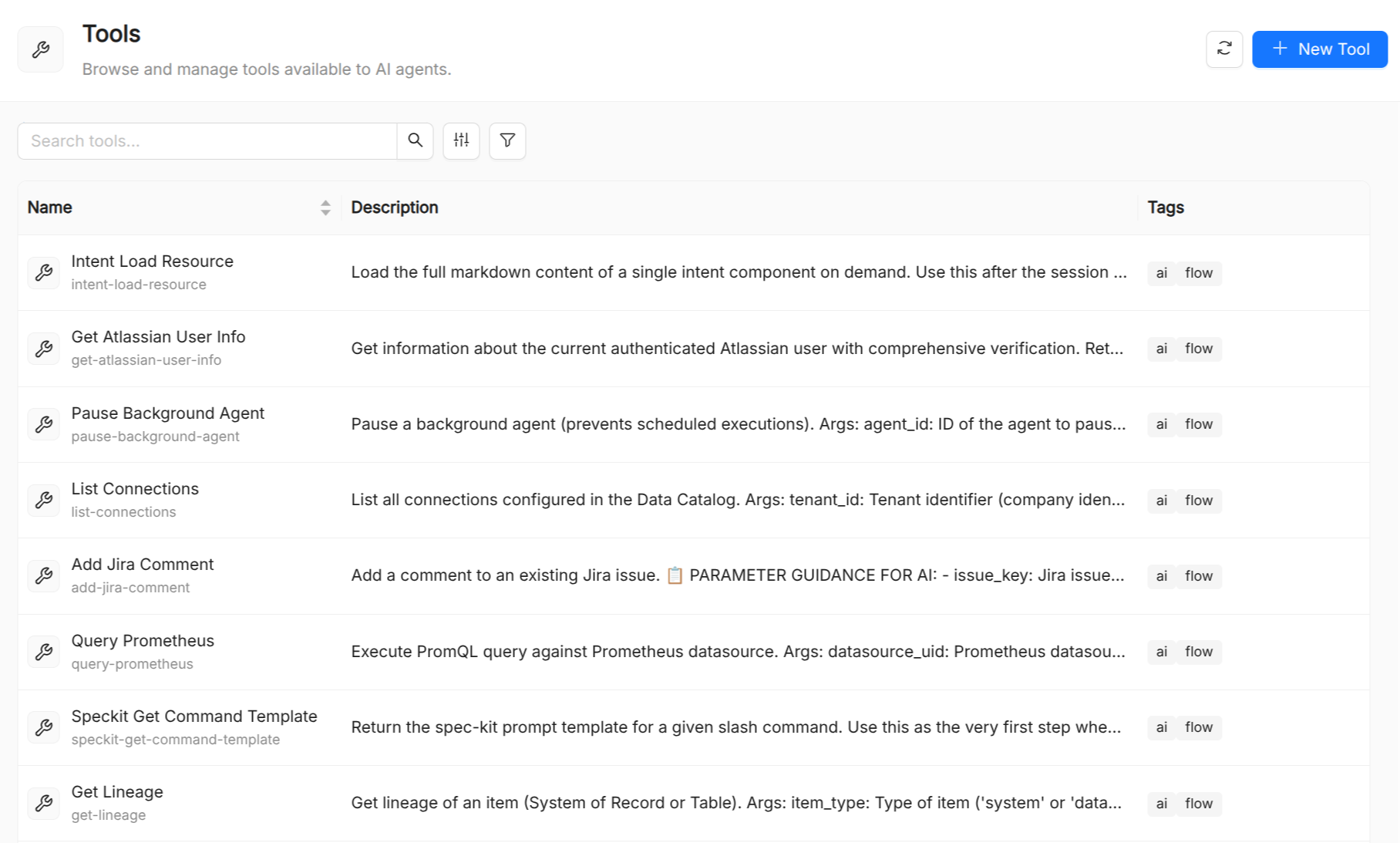
Tool reference
| Field | Required | Description |
|---|---|---|
Title | Yes | Display name shown in the UI and in the agent tool picker. |
Name | Yes | Unique identifier. Referenced verbatim in Agent.spec.tools. |
Description | Yes | Plain-language description of what the tool does, what inputs it expects, and what it returns. This description is part of what helps the LLM decide when to call the tool. |
Type | Yes | Tool source: built-in for tools implemented inside the AI Foundry backend, or mcp-server for tools exposed by an MCP server. |
Runtime Name | Yes | The identifier the runtime uses to invoke the tool (e.g. the function name registered in the backend). Must not contain spaces. |
Category | No | Optional grouping label. Tools with the same category are shown together in the agent creation form's grouped picker. |
Enabled | Yes | When false, the tool is hidden from the agent creation picker and unavailable at runtime. Defaults to true. |
Writing good tool descriptions
The description in metadata is surfaced to the LLM when the agent decides which tool to call. A clear, accurate description directly improves agent behavior:
- State what the tool does in the first sentence: "Searches the internal knowledge base for articles matching a query."
- Describe the input format: "Input: a natural-language question string."
- Describe the output format: "Output: up to five article snippets with titles and URLs."
- Note limitations: "Only covers articles published after 2023-01-01."
Avoid vague names or descriptions: the LLM uses them to reason about when a tool is appropriate.
Attaching tools to agents
The AI Foundry UI provides a multi-select dropdown populated from all registered Tool resources to attach them to an agent .
In the AI Playground you can toggle individual tools on or off for a live session without modifying the agent manifest. This is useful for debugging unexpected tool calls.
Tools vs. Skills
Both tools and skills extend what an agent can do, but they operate at different levels of abstraction:
| Aspect | Tool | Skill |
|---|---|---|
| Granularity | Fine-grained, single operation | Higher-level, multi-step capability |
| Implementation | External service / MCP server | Documented in the catalog as a Skill manifest |
| Called by | Agent (via LLM function-calling) | Agent or Playbook node |
| Can be locked? | Yes, in the Playground | Yes, prevents accidental invocation |
See also
- Agent: attaches tools via
spec.tools. - Skill: higher-level reusable capabilities.
- MCP Server: a server that exposes multiple tools through the Model Context Protocol.