AI Foundry is in beta. We are actively shaping the product, so things may change as we iterate. Your feedback is welcome.
Playbook
A Playbook is a catalog resource that describes a multi-step agentic workflow. It composes agents, prompts, skills, and spec templates into a directed graph where each node performs a discrete task and edges define the flow of control and data between them.
Playbooks move the AI platform from single-agent interactions toward agentic pipelines: complex, stateful workflows where the output of one agent feeds the input of the next, loops repeat until a condition is met, and parallel branches execute concurrently.
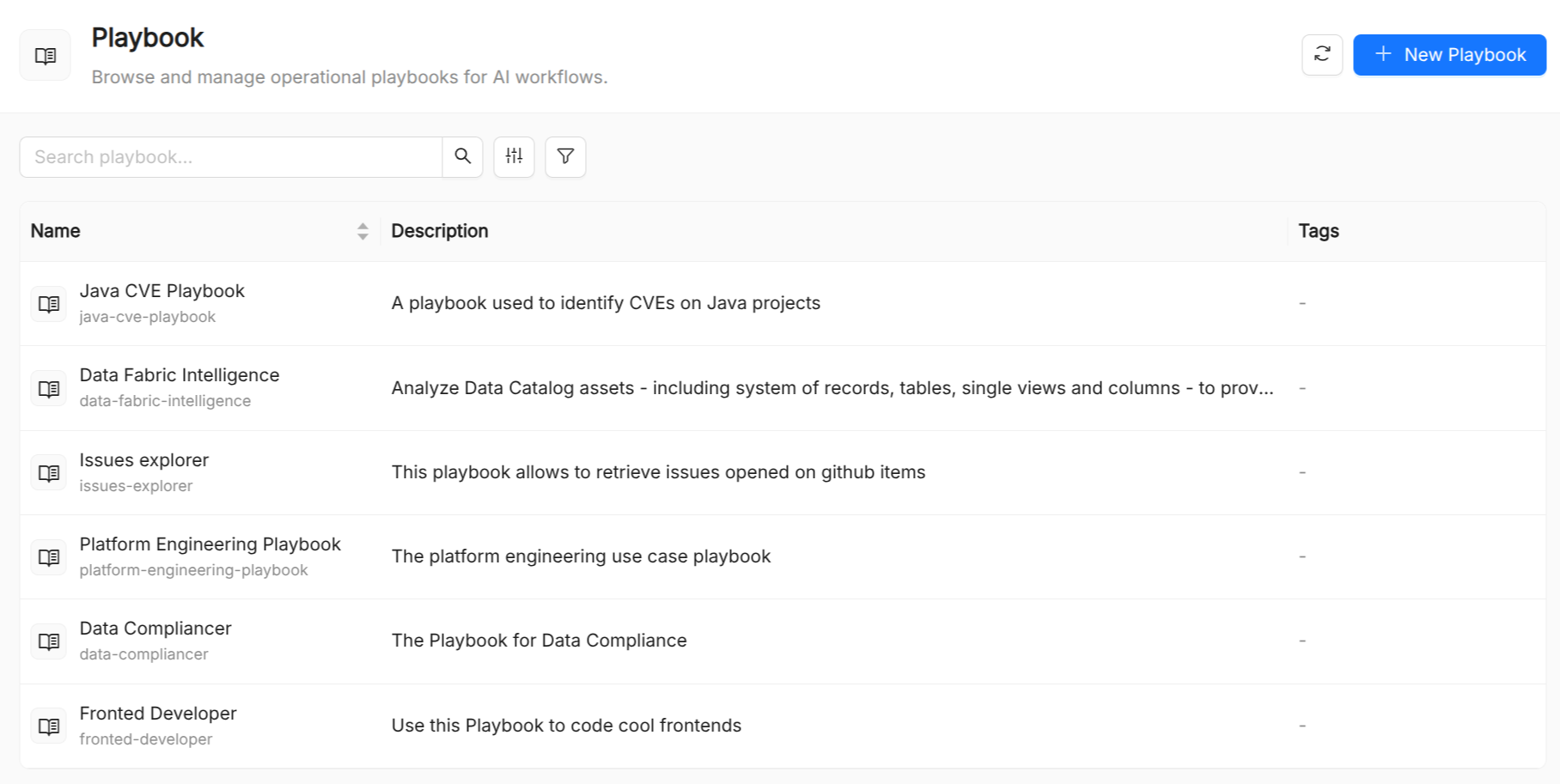
Playbook reference
| Field | Required | Description |
|---|---|---|
Title | Yes | Display name shown in the UI. |
Name | Yes | Unique identifier. Immutable after creation. |
Description | Yes | Short description of the workflow's purpose. |
Show on Home | No | When enabled, this playbook appears as a quick-launch button on the home screen. |
Launch Mode | No | Default UI to open when this playbook is launched. |
Home Prompt | No | Optional pre-filled prompt auto-sent when the user clicks this playbook from the home page. |
Source Template ID | No | Optional source template linked to this playbook on the home screen. |
Project Template ID | No | Optional project template linked to this playbook on the home screen. |
Prompts | No | Built-in Agents (reference) |
Skills | No | Skills available to all agents in this playbook. |
Spec Templates | No | Spec templates available to all agents in this playbook. |
Built-in Agents (reference) | No | Built-in external AI agents referenced by this playbook. |
Playbook flow model
A Playbook workflow at its core comprises a set of orchestrated agents working sequentially, in parallel or loop.
You can either deploy a single built-in agent (an external AI agent not managed by the Catalog, like a model provider or third-party assistant) or a combination of agents managed by the Catalog.
The visual builder
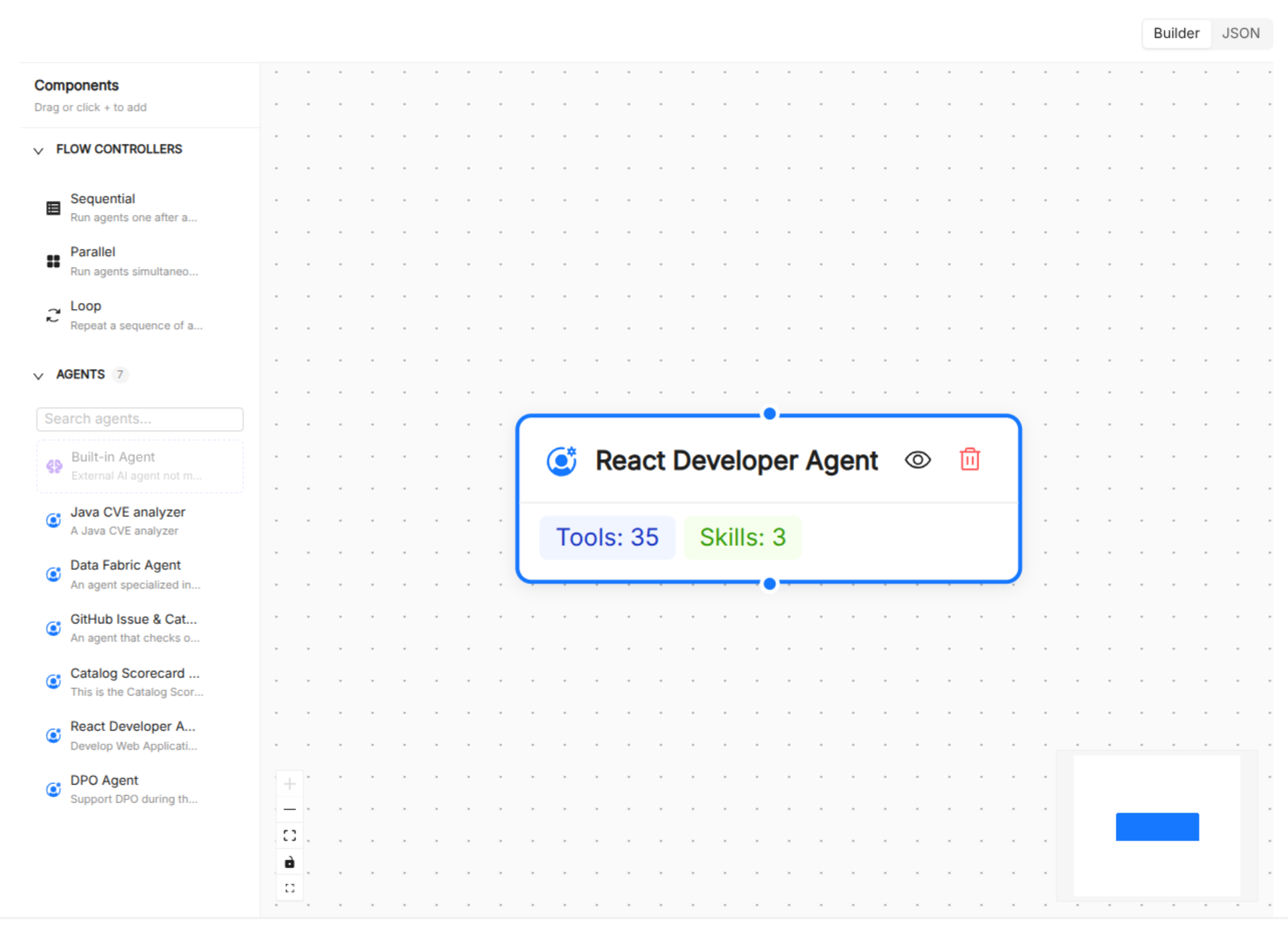
The Playbook Builder in the AI Foundry UI provides a drag-and-drop canvas for designing and editing without writing JSON:
- Overview step: set name, title, and description.
- Agentic Flow step: add nodes from a palette, draw edges between them, and configure node properties.
- Resources step: attach playbook-level prompts, skills, and specs using multi-select pickers.
Switching to JSON mode replaces the visual builder with a full-spec JSON editor, which is useful for bulk edits or for copying playbooks across environments.
Resource scoping
Resources (prompts, skills, specs) can be attached at two levels:
- Playbook level: available to every node in the flow.
- Node level: available only to that specific node. Node-level lists are merged with the playbook-level lists.
This allows a common baseline (e.g. a shared style guide) while letting individual nodes use specialized resources.